
Shop Now
Institutional page for the HOMCOM brand hub.
Quick Answer:
The right corner TV stand for a small living room should fit the entire corner footprint, support your TV based on its actual dimensions and weight, preserve enough space for walking and nearby furniture, and provide a comfortable viewing position.
Before buying, check these five things:
If the stand will support a freestanding TV, also check its stated load capacity and stability. In homes where children may be present, the U.S. Consumer Product Safety Commission recommends using furniture designed to hold a television and anchoring TVs and furniture to help prevent tip-overs.[1]
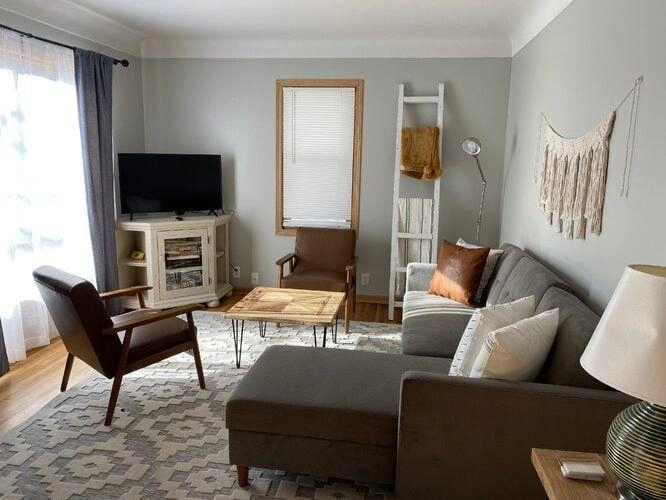
A corner TV stand can make use of an otherwise awkward area and leave a longer wall available for seating or other furniture. But putting the TV in a corner does not automatically make a small living room feel larger.
Start by looking at the whole room layout, not just the empty corner.
A corner placement can make sense when:
A different TV position may work better when the sofa faces another wall, the corner creates an awkward viewing angle, or the stand would project too far into the room.
The goal is not simply to put the TV in the corner. It is to find a position where the TV, stand, seating, storage, and traffic flow work together.
One of the easiest mistakes is measuring only the available wall width. A corner TV stand occupies floor space, so you need to understand its complete footprint.
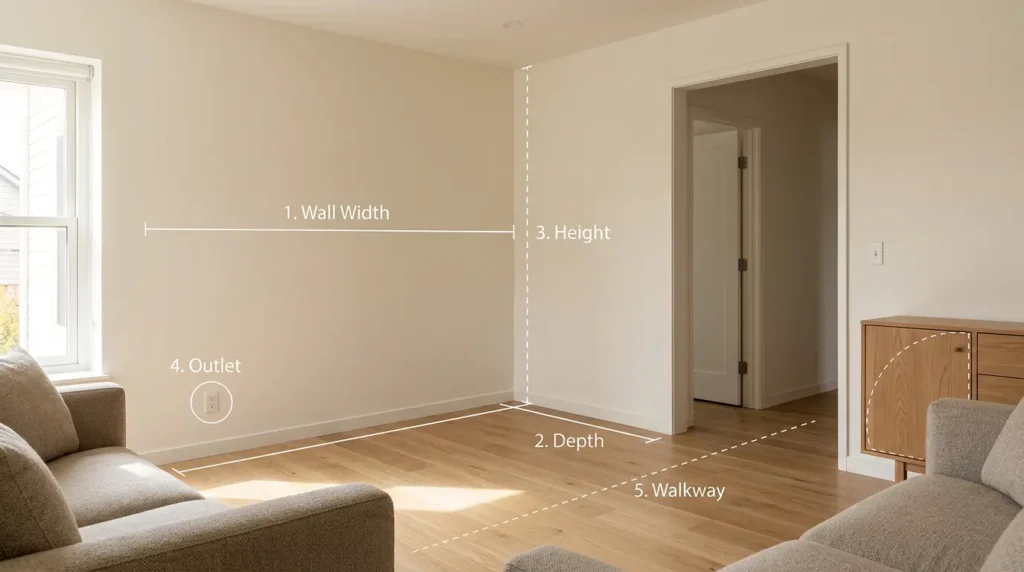
Record:
Also consider what happens when cabinet doors or drawers are opened. A stand may technically fit into the corner but still make the room difficult to use.
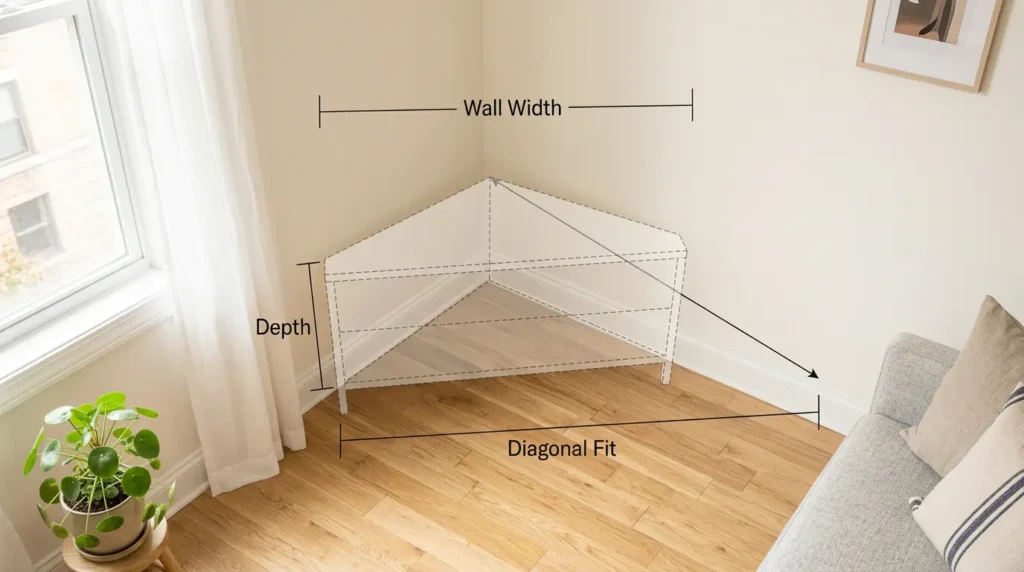
For a corner unit, the distance from the corner outward can matter just as much as the length along either wall.
If a product lists only width and depth, compare those measurements with your actual corner rather than assuming a rectangular footprint will translate directly to the available space.
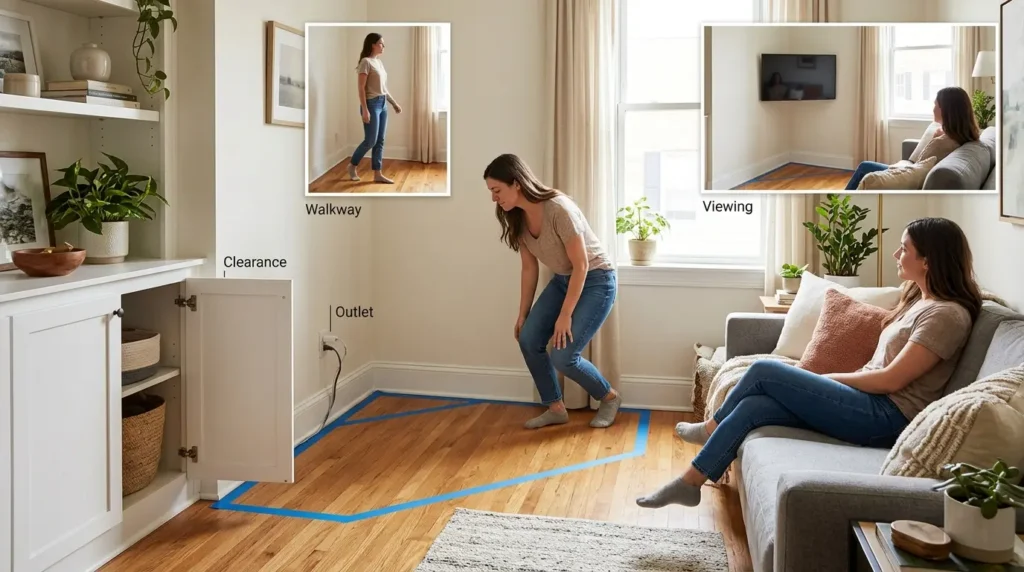
Before purchasing, use painter’s tape to mark the approximate footprint of the TV stand on the floor.
Then test the space:
This simple test can reveal a problem that product dimensions alone may not show.
The key measurement is therefore not “Can the stand fit?” but “Can the entire TV setup fit without disrupting the room?”
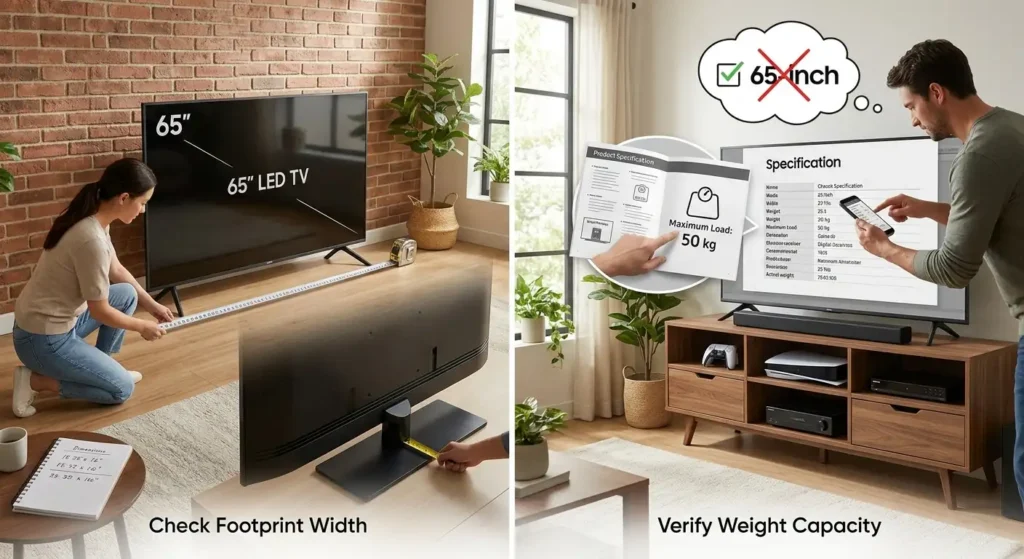
A TV stand’s advertised maximum TV size is useful, but it should not be your only compatibility check.
A television’s screen size does not tell you exactly how much space its feet occupy.
Before buying, check your TV manufacturer’s specifications for:
Then compare those measurements with the stand’s usable top surface.
If your TV has two separate feet, make sure both feet can sit securely on the supporting surface. If it uses a central pedestal, check that the base is fully supported and does not interfere with the stand’s edges or structure.
A stand that is advertised for a particular TV size is not necessarily suitable for every TV of that size.
Compare your TV’s actual weight with the stand’s stated maximum load.
If you will place a soundbar, game console, receiver, or other equipment on shelves, check the relevant shelf capacity as well.
This is more useful than applying a universal rule such as “a 65-inch TV needs a certain width of stand.” TV designs and bases vary, so the actual manufacturer specifications should control the decision.
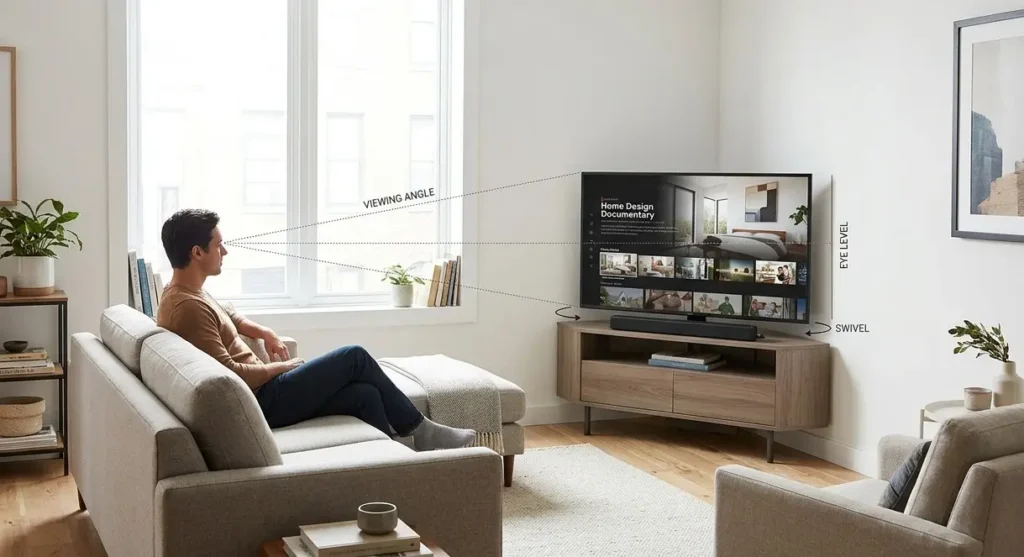
A corner location can solve a space problem while creating a viewing problem.
If your sofa does not face the corner directly, the screen may sit at an angle to the main seating position. Before buying, sit where you normally watch TV and check whether the proposed location feels natural.
Consider:
A swivel feature is particularly useful when the corner is off-axis from the sofa or when the room has multiple seating positions. It is not necessary for every corner setup.
Instead of choosing a stand based on a universal “ideal height,” consider your actual sofa and viewing position.
A practical approach is to sit in the main viewing position and assess where the center portion of the screen falls naturally within your line of sight.
If you use a soundbar or another device beneath the TV, also check whether the stand provides enough usable surface without raising the screen unnecessarily.
The objective is simple:
The TV should fit the corner physically and remain comfortable to watch from the seats you actually use.
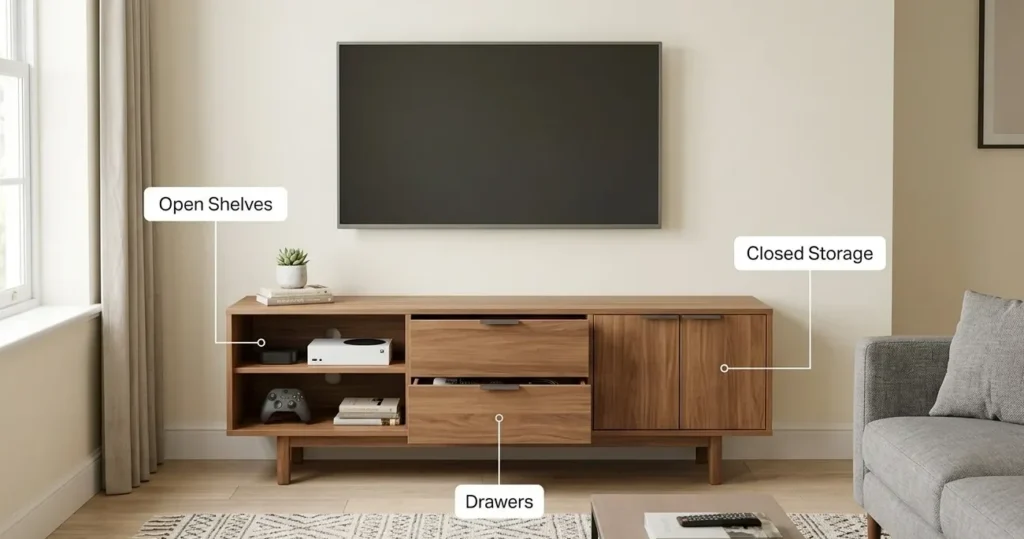
Storage is useful in a small living room, but more storage is not automatically better.
First list what actually needs to stay near the TV:
Then choose the storage configuration around those items.
Open shelves provide easy access and can work well for frequently used electronics.
They can also make the furniture look visually lighter, but everything stored on them remains visible.
Closed storage can hide equipment and reduce visible clutter.
It may be preferable when the goal is a cleaner, less visually busy room.
These are useful when you need smaller-item storage or expect your equipment to change over time.
The better question is not:
“Which stand has the most storage?”
It is:
“Which stand provides enough storage without taking up unnecessary space?”
For a small living room, that distinction can make a significant difference to how crowded the finished setup feels.
Once the TV and stand fit physically, check how the equipment will actually work inside the space.
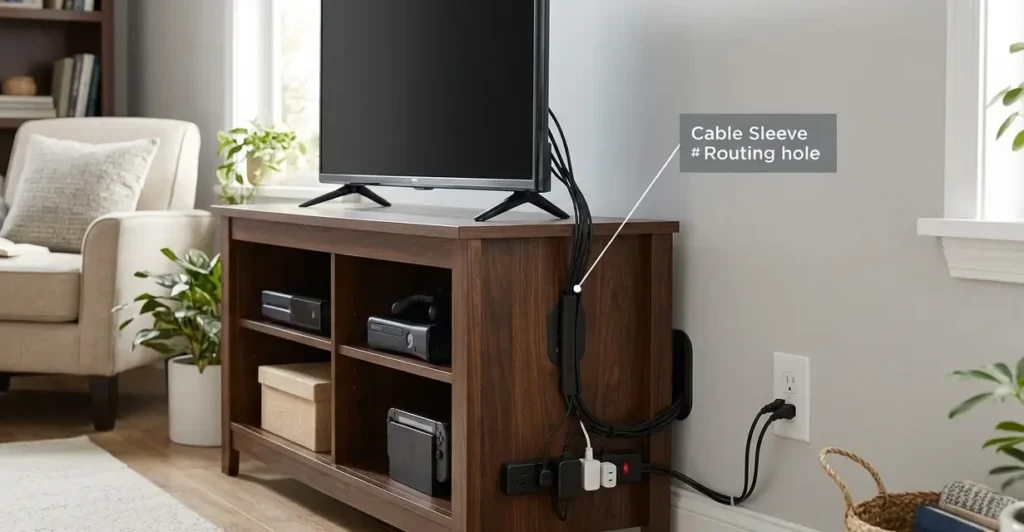
Look for features such as:
This matters particularly in a corner because outlets can become harder to reach once the stand is positioned against the walls.
Avoid placing devices somewhere that makes basic tasks unnecessarily difficult.
You should still be able to:
If you plan to place electronics inside an enclosed cabinet, do not treat the cabinet as a sealed box.
Check the equipment manufacturer’s ventilation requirements and make sure the furniture does not obstruct the airflow that the device requires.
This is another reason not to choose storage purely by volume. A smaller, better-organized setup can be more practical than filling every available compartment with electronics.
Once the stand fits the room and works with the TV, material and appearance become useful tie-breakers.
Common options include:
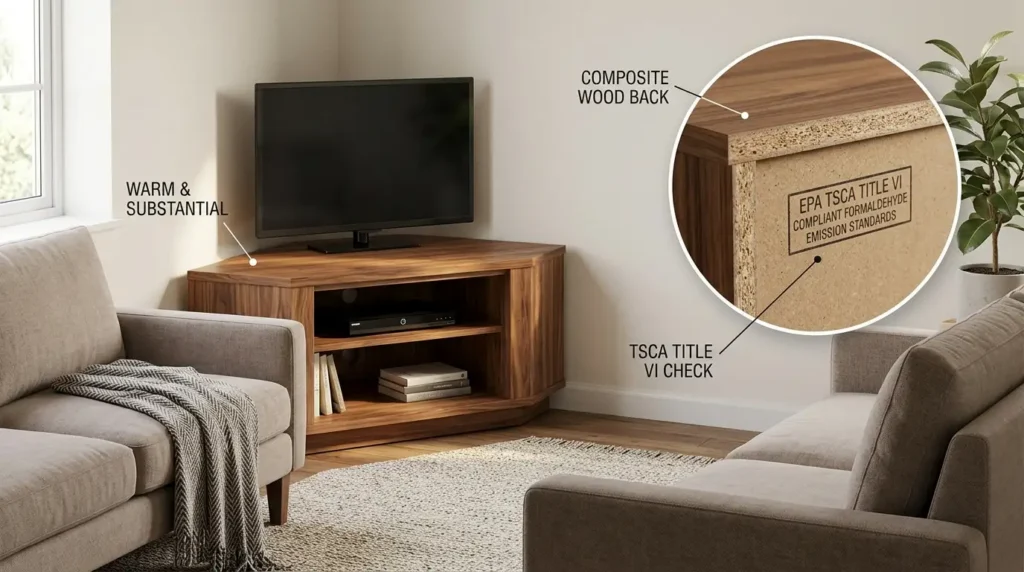
These can provide a warmer, more substantial appearance and work across many interior styles.
If a product uses composite wood such as MDF, particleboard, or hardwood plywood, U.S. buyers can also check whether the product or applicable components meet TSCA Title VI requirements. EPA identifies these composite wood products within the scope of its formaldehyde emission standards. [2]
This is most useful when comparing products that otherwise appear similar.
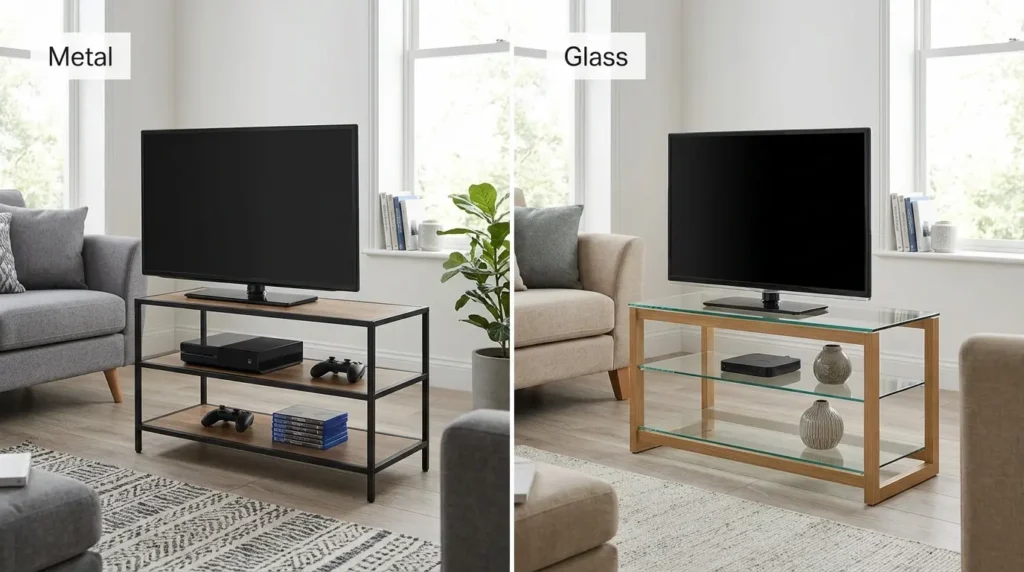
Metal frames can suit modern or industrial interiors and may create a visually lighter structure when combined with open shelving.
Glass can reduce the visual heaviness of a media unit, although the surrounding frame and storage design still determine how substantial the overall piece looks.
For a small living room, consider:
Style should support the room rather than override the practical requirements you established earlier.
Stability should be checked alongside size and load capacity, rather than treated as an afterthought.
The U.S. Consumer Product Safety Commission specifically advises that televisions should be placed on furniture designed to hold a television and that non-wall-mounted TVs should be anchored. It also recommends anchoring furniture and keeping heavier items on lower shelves. [1]
Before buying, check:
If children may be present in the home, anchoring becomes particularly important. Follow the product manufacturer’s instructions rather than assuming that the stand’s weight alone makes the setup safe.
A small living room does not necessarily require a premium TV stand. Budget should follow the functions you actually need.
Prioritize:
Additional cost may make sense if you need:
You may pay more for:
Do not compare products by price alone. A less expensive stand that is too deep, lacks appropriate storage, or does not work with your TV may be less useful than a slightly more expensive option that fits the room correctly.
| Check Before Buying | What to Verify |
|---|---|
| Corner footprint | Width, depth, diagonal fit |
| TV compatibility | TV dimensions, feet/base, screen size |
| Weight | TV weight vs. stand capacity |
| Room flow | Walkways, doors, nearby furniture |
| Viewing | Sofa position and viewing angle |
| Storage | Equipment you actually need to store |
| Cables | Outlet access and cable routing |
| Ventilation | Equipment manufacturer’s requirements |
| Stability | Suitable furniture and anti-tip provisions |
| Style | Visual weight and existing decor |
A stand can fit between two walls and still interfere with the rest of the room.
Two TVs with the same screen size can have different dimensions and base configurations.
Maximum available depth is not necessarily the best depth for a small living room.
Extra cabinets and shelves can add visual and physical bulk that you do not actually need.
A corner may look like the obvious location until you sit on the sofa and realize the screen is off-axis.
A stand that looks perfect but does not properly support your TV is not a practical choice.
Choosing a corner TV stand for a small living room is less about finding the smallest possible unit and more about finding the right overall fit.
Start with the room: measure the corner, floor footprint, walkways, outlets, and viewing position. Then check the TV’s actual dimensions and weight rather than relying only on screen size. After that, choose the storage, cable-management, ventilation, stability, material, and style features that match how you actually use the room.
Measure first, match the TV second, and choose features last.
Measure both walls around the corner, the available floor depth, the stand’s potential diagonal footprint, nearby walkways, doors, furniture, and outlet locations. Use painter’s tape to mark the approximate footprint before buying so you can test how the stand affects movement through the room.
It depends on the TV and the stand. Check the TV’s actual width, depth, feet or base configuration, and weight, then compare them with the stand’s stated maximum TV size, usable top dimensions, and load capacity.
Neither option is universally better. A TV stand can provide storage and avoid wall installation, while wall mounting can free floor space. The choice depends on whether you need furniture storage, where the sofa is positioned, whether wall mounting is practical, and how you want to manage cables and equipment.
Prioritize a footprint that leaves usable walking space, avoid unnecessary depth and storage, and choose a visually simple design. The smallest stand that safely supports the TV and accommodates the equipment you actually use can be more effective than a larger media unit.
[1] U.S. Consumer Product Safety Commission (CPSC). Anchor It! — Prevent TV and Furniture Tip-Overs.